
Welcome to TalkONE
A quick tour of the portal and where to find your services, usage, billing and support.
Before you start
- Your TalkONE welcome email
- Access to the email address used for your account
Open your welcome email
Use the secure link in your TalkONE welcome email. If the link has expired, open the sign-in page and request a fresh password link.
Use the highlighted account summary on the Overview screen. Confirm the surrounding service or account details match before you continue.
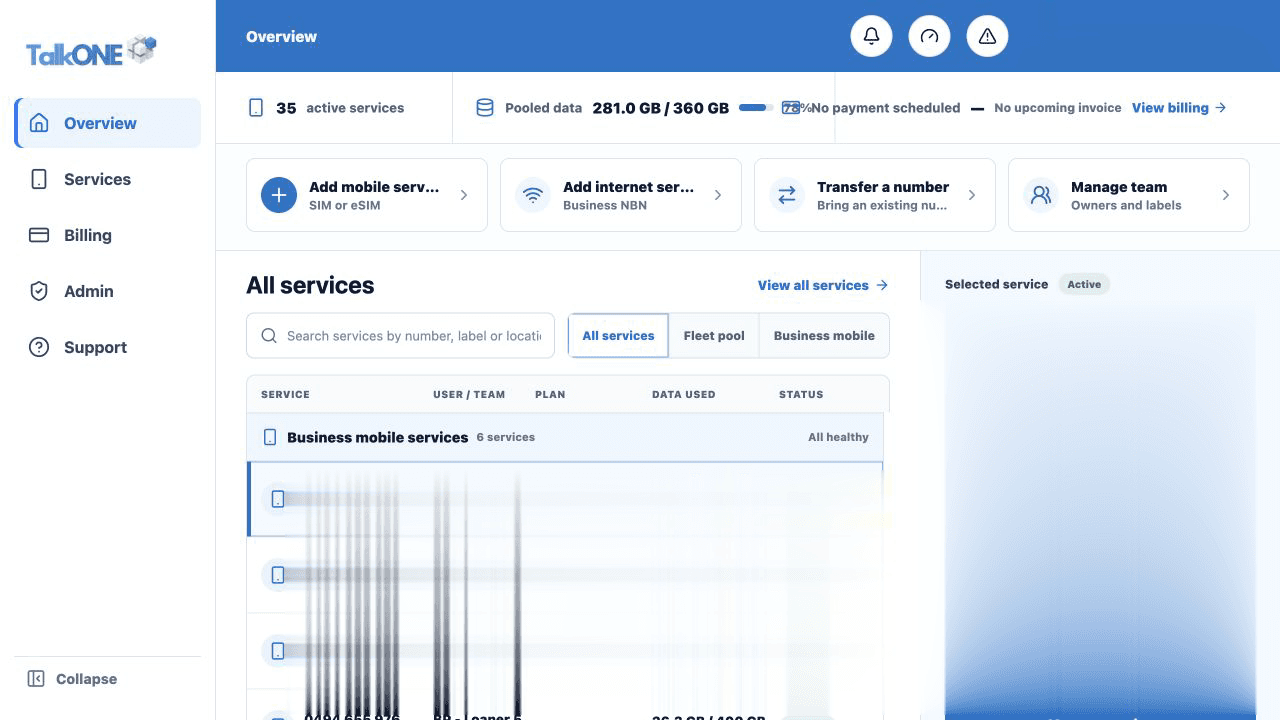
Check the account name
Your business or account name appears at the bottom of the blue navigation. Check this before making service or billing changes.
Use the highlighted account identity and service context on the Overview screen. Confirm the surrounding service or account details match before you continue.
Use the main navigation
Overview is your daily snapshot. Services manages mobiles and SIMs. Billing contains invoices and payment details. Help Centre contains these guides.
Use the highlighted main navigation on the Overview screen. Confirm the surrounding service or account details match before you continue.
Review items needing attention
The overview highlights requests, payment issues or services that may need action. Open an item for its full detail.
Use the highlighted items needing attention on the Overview screen. Confirm the surrounding service or account details match before you continue.
Check your work
You can see your account name, service totals and current billing summary on the Overview page.