
Add international roaming
Review available roaming bolt-ons, see an active pack and request the right option for travel.
Before you start
- The destination and travel dates
- Permission to manage the service
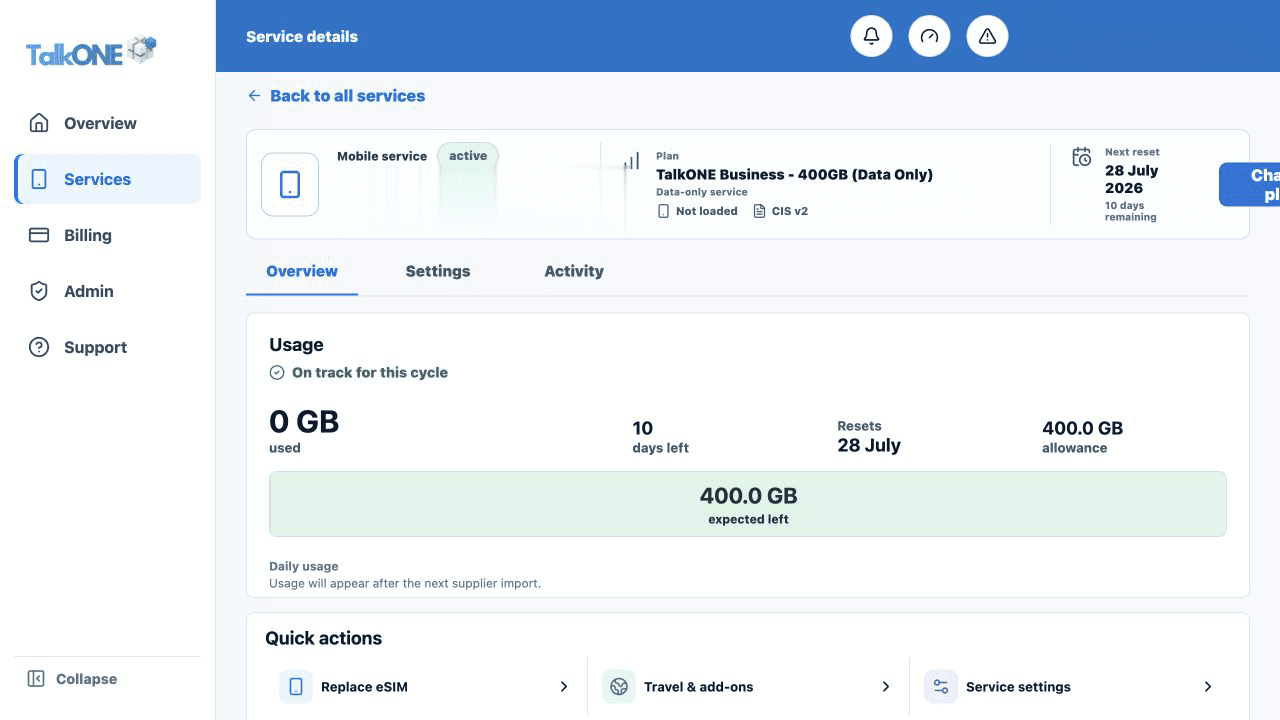
Open Travel & add-ons
Select the service and choose Travel & add-ons.
Use the highlighted Travel & add-ons quick action on the Service overview screen. Confirm the surrounding service or account details match before you continue.
Check an active pack
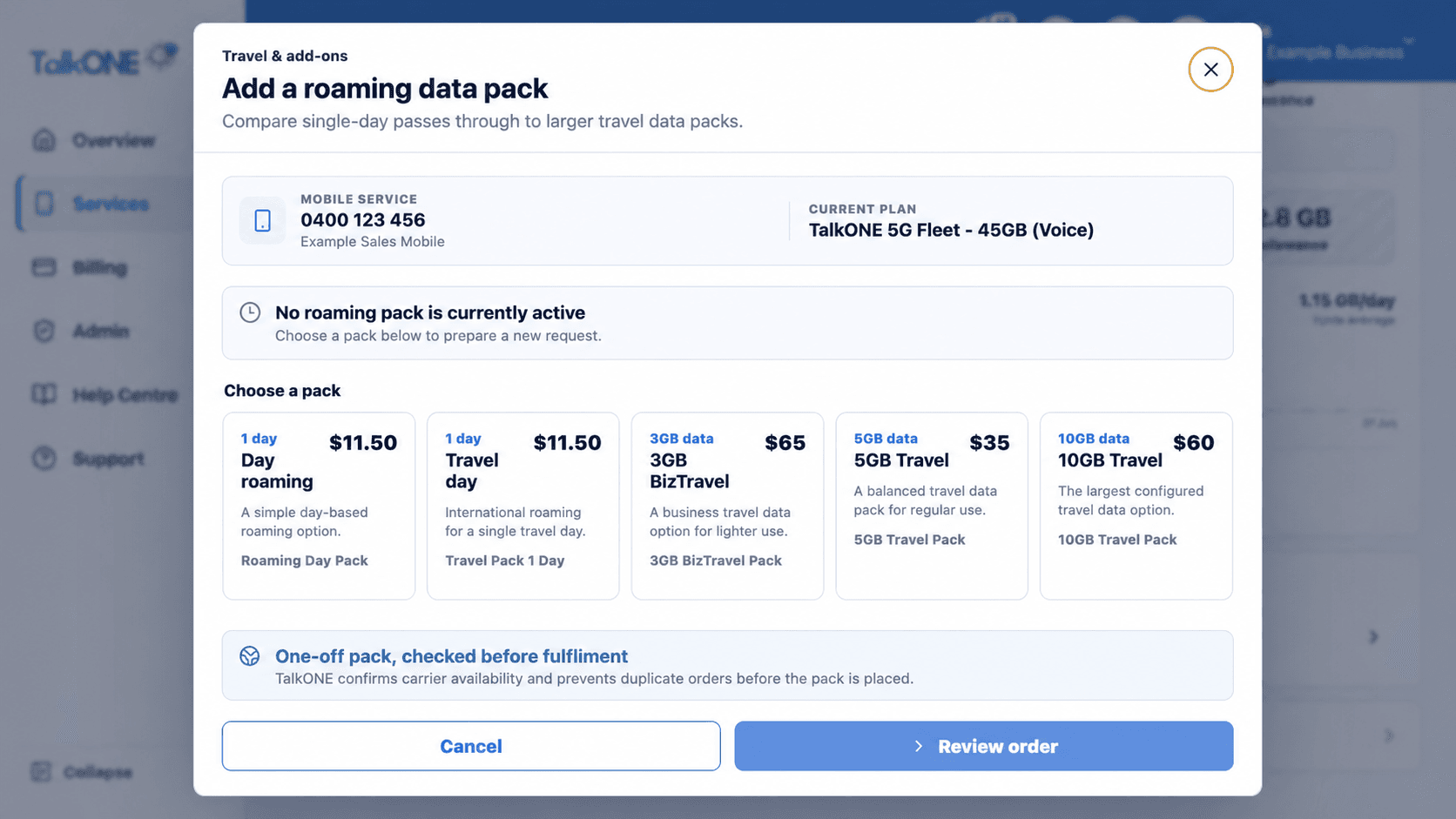
If a pack is active, the page shows its name, expiry and any provider-supplied usage metrics before the available options.
Use the highlighted service and current pack status on the Travel & add-ons screen. Confirm the surrounding service or account details match before you continue.
Compare available packs
Packs are arranged in duration order. Review the included destinations, duration, inclusions and price shown for each real product.
Use the highlighted available roaming packs on the Travel & add-ons screen. Confirm the surrounding service or account details match before you continue.
Request the pack
Choose the pack, check the activation timing and confirm. Do not purchase a second pack unless the page explains how it will interact with the active one.
Use the highlighted Review order on the Travel & add-ons screen. Confirm the surrounding service or account details match before you continue.
Check your work
The active add-on card shows the pack and expiry, or the request appears in Support while processing.