
Resolve a failed payment or ask for assistance
Update payment details, understand the account status and contact TalkONE early for support.
Before you start
- Billing access
- The invoice number or payment notice
Read the payment notice
Open Billing and check the affected invoice, amount, due date and current payment status.
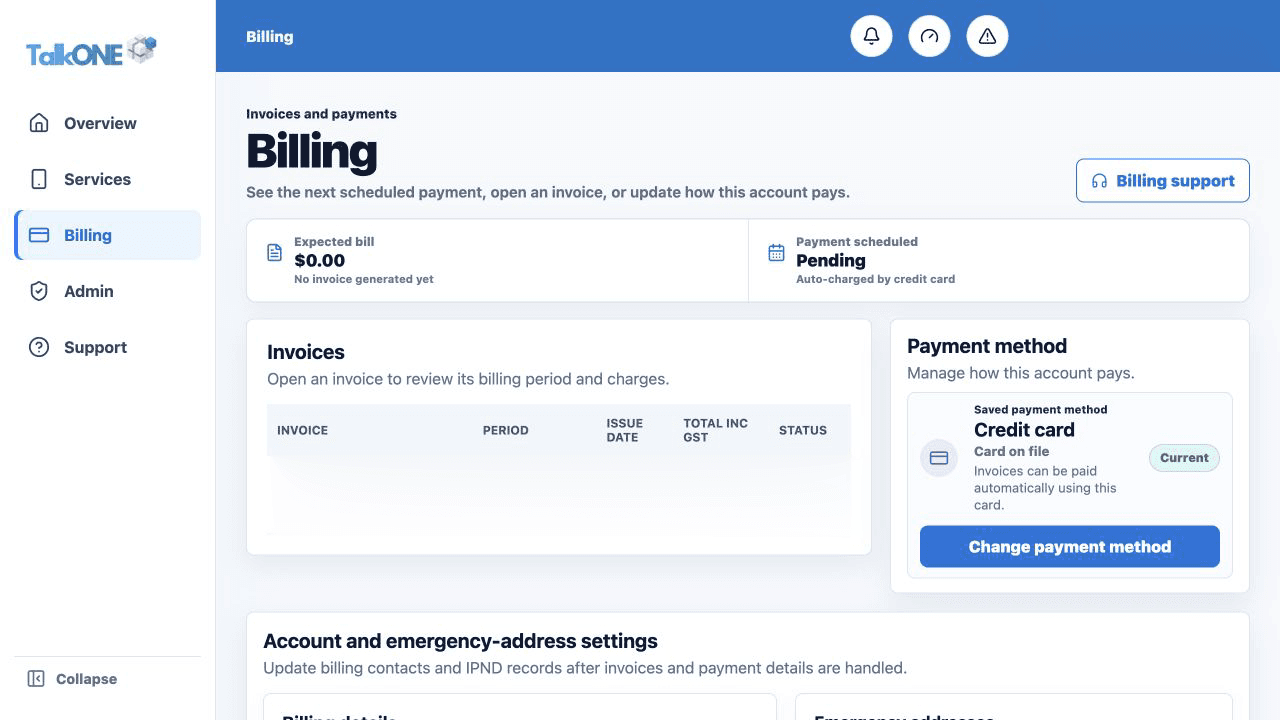
Use the highlighted bill and payment status on the Billing screen. Confirm the surrounding service or account details match before you continue.
Check the payment method
Confirm the saved method is current. Update it through the secure payment workflow if required.
Use the highlighted Payment method on the Billing screen. Confirm the surrounding service or account details match before you continue.
Retry only when offered
Use the portal retry action if it is available. Avoid repeated attempts if the payment provider is still processing.
Use the highlighted bill and payment status on the Billing screen. Confirm the surrounding service or account details match before you continue.
Ask for assistance early
Open Payment assistance or submit a billing request. Include the invoice number and best contact method.
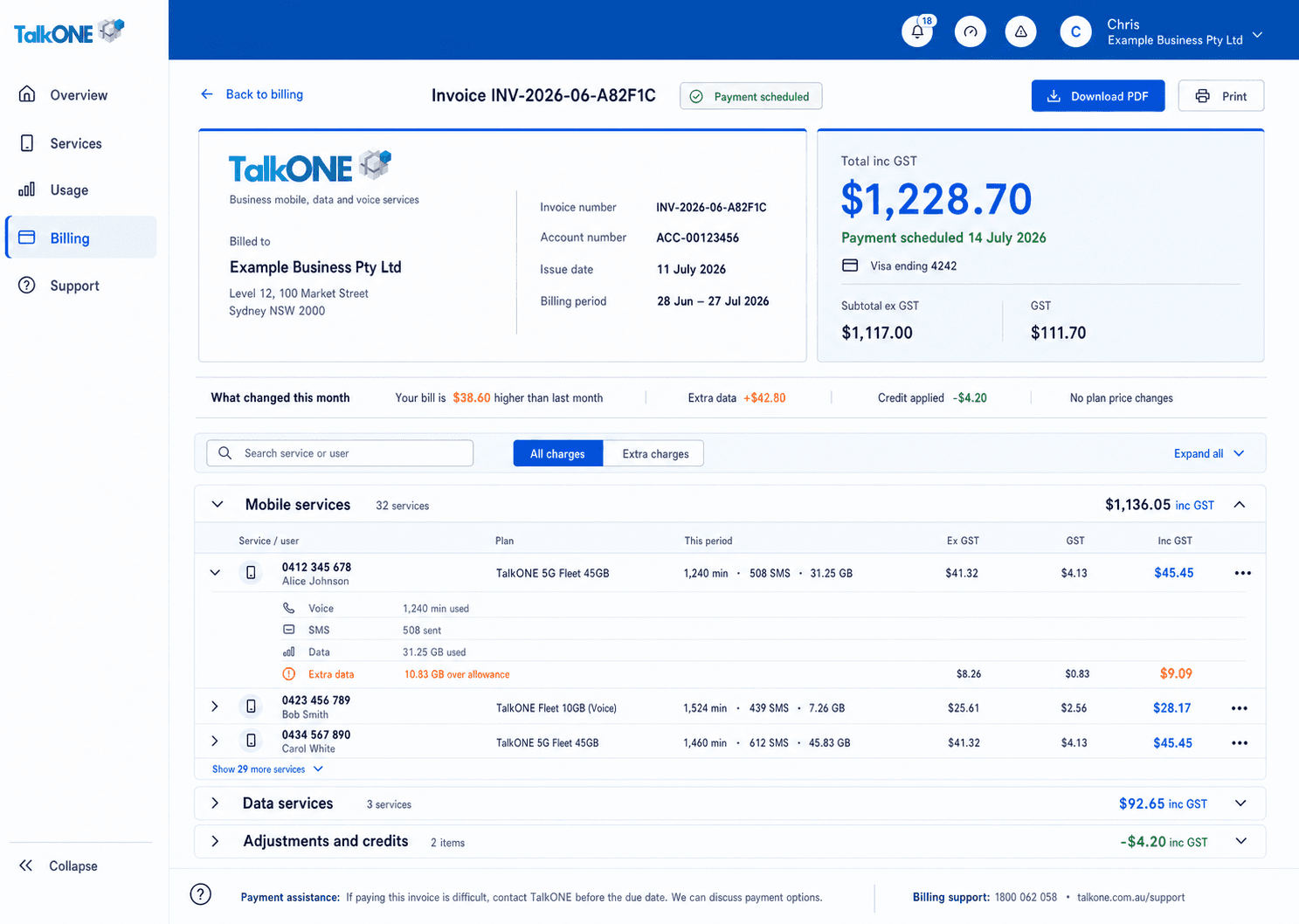
Use the highlighted Payment assistance on the Invoice screen. Confirm the surrounding service or account details match before you continue.
Check your work
The invoice status updates, or a support reference confirms TalkONE is reviewing the issue.