
View a service's usage
See data, calls and messages for one mobile service and billing cycle.
Before you start
- Access to the service
Recent usage can take time to arrive from the mobile network and is not a real-time safety limit.
Open the service
Choose Services, then select the required number or service label.
Use the highlighted service inventory row on the All services screen. Confirm the surrounding service or account details match before you continue.
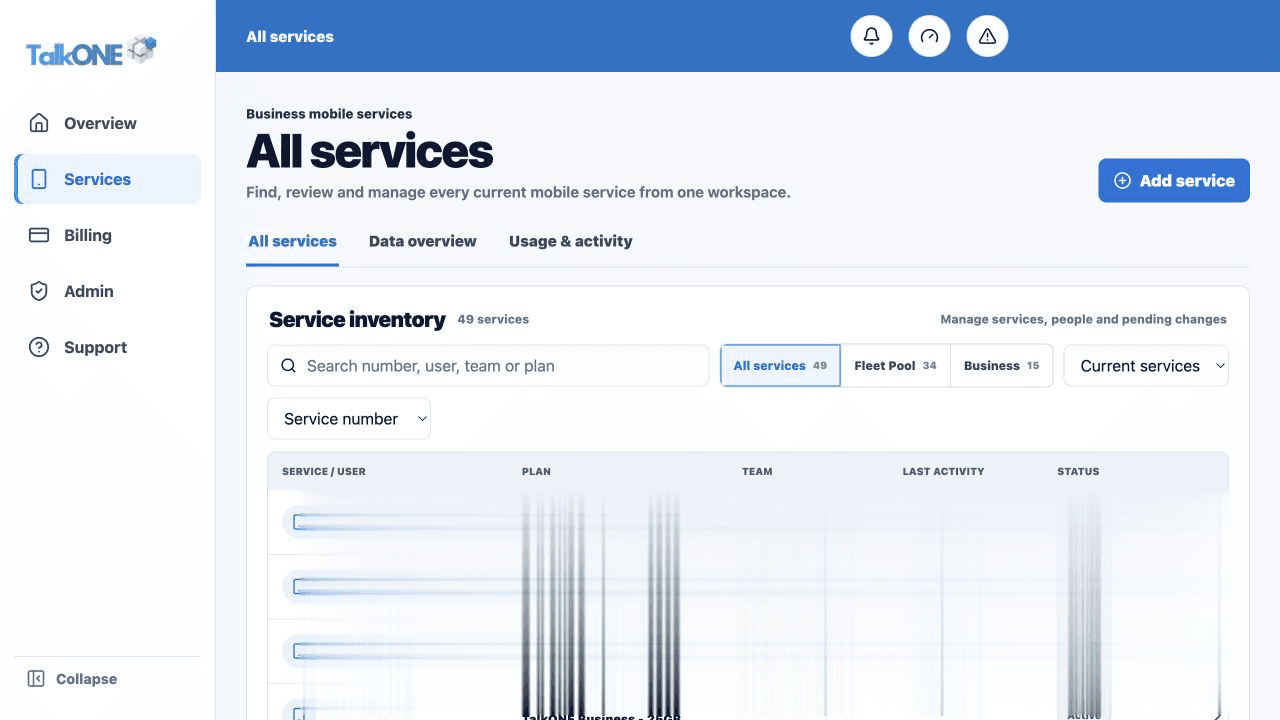
Choose Usage & activity
The selected billing month controls the graph and totals. Use the month selector to review earlier cycles.
Use the highlighted billing month selector on the Usage & activity screen. Confirm the surrounding service or account details match before you continue.
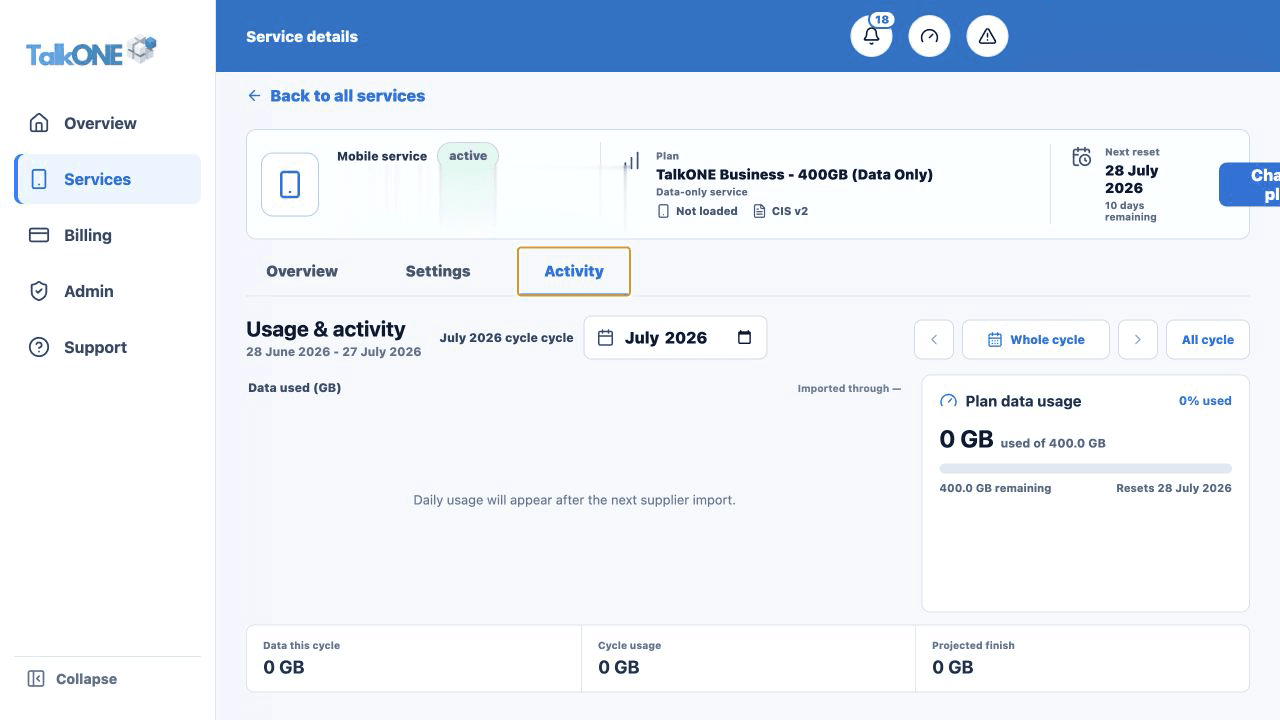
Read the usage card
Blue shows data used, the forecast estimates the cycle total, and green shows the expected remaining allowance or DataBank contribution.
Use the highlighted plan data usage summary on the Usage & activity screen. Confirm the surrounding service or account details match before you continue.
Review calls and messages
Use the activity totals and detailed records to understand call duration and message volume.
Use the highlighted cycle activity totals on the Usage & activity screen. Confirm the surrounding service or account details match before you continue.
Check your work
The selected month, mobile number and totals all refer to the same service.