
Review calls and message records
Understand call duration, SMS and MMS totals and the detailed activity list.
Before you start
- Access to the service's usage records
Open Usage & activity
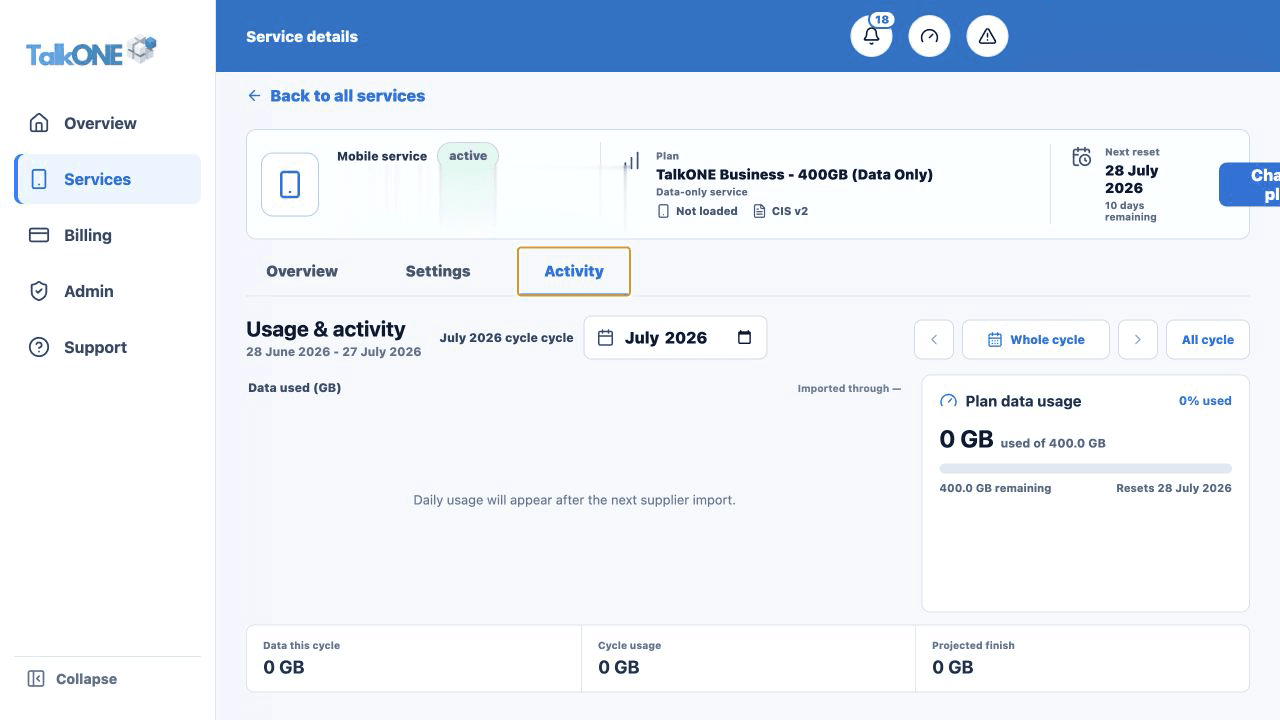
Select the service and billing cycle, then scroll to Calls, messages and charges.
Use the highlighted Activity tab on the Usage & activity screen. Confirm the surrounding service or account details match before you continue.
Read the totals
The summary separates call duration, SMS count and MMS count so the values are not confused with data usage.
Use the highlighted cycle activity totals on the Usage & activity screen. Confirm the surrounding service or account details match before you continue.
Expand the records
Use the available filters or disclosures to inspect activity dates and destinations.
Use the highlighted cycle activity totals on the Usage & activity screen. Confirm the surrounding service or account details match before you continue.
Allow for import delays
The provider can supply activity after it occurred. Check the import date before reporting a missing record.
Use the highlighted imported-through date on the Usage & activity screen. Confirm the surrounding service or account details match before you continue.
Check your work
The displayed totals and records match the selected service and month.