
Set up call forwarding
Forward all calls, busy calls, unanswered calls or unreachable calls to an Australian number.
Before you start
- A voice-capable service
- The Australian destination number
Open Calling preferences
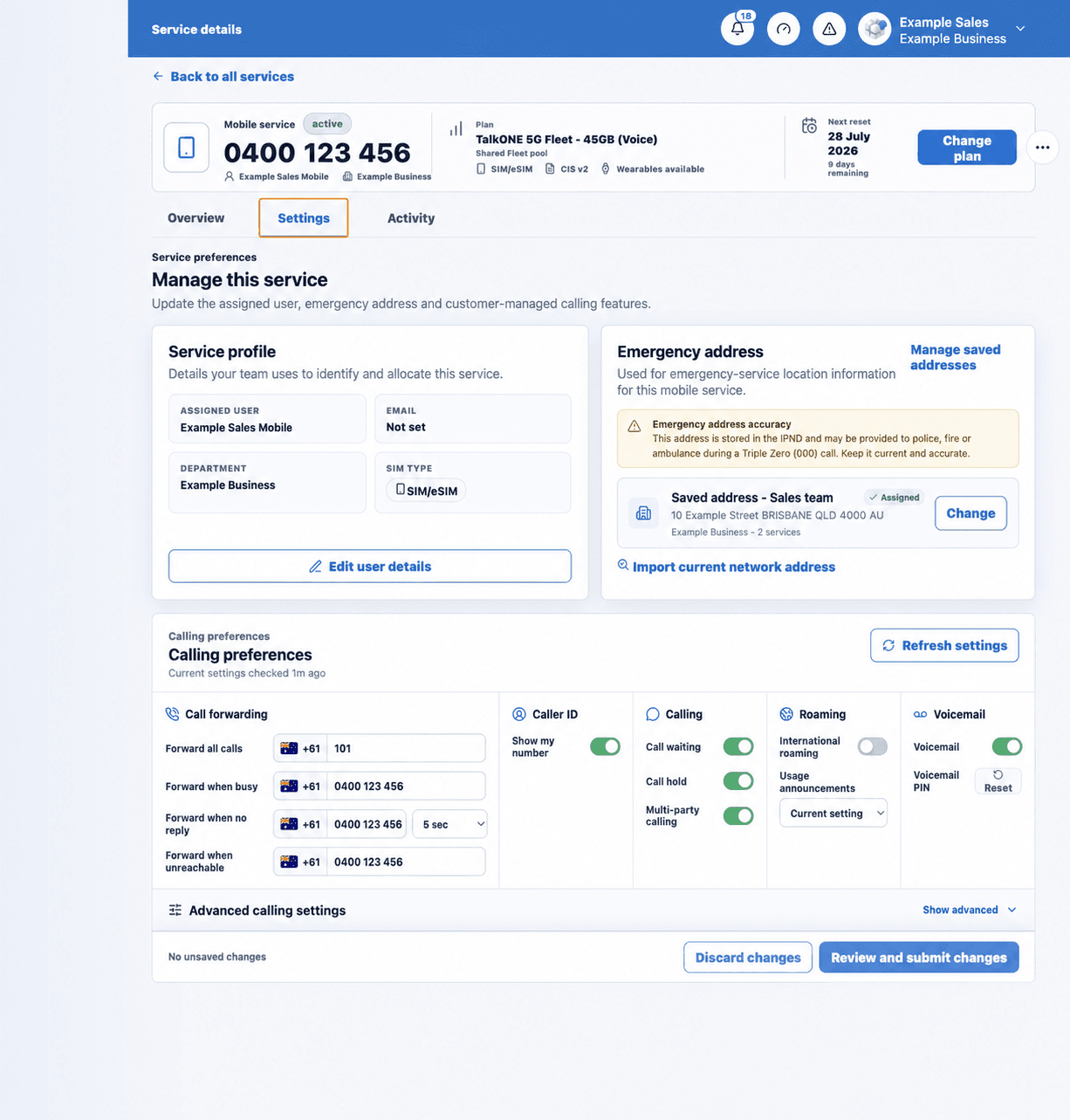
Select the voice service, open Settings and find Call forwarding.
Use the highlighted Call forwarding fields on the Calling preferences screen. Confirm the surrounding service or account details match before you continue.
Choose the forwarding condition
Use Forward all calls only when every call should redirect. Otherwise choose busy, no reply or unreachable.
Use the highlighted Call forwarding fields on the Calling preferences screen. Confirm the surrounding service or account details match before you continue.
Enter the number
Type a short internal number or an Australian mobile/landline. You can enter 0, 61 or +61 formats; the portal normalises the number automatically.
Use the highlighted Call forwarding fields on the Calling preferences screen. Confirm the surrounding service or account details match before you continue.
Choose the no-reply delay
For unanswered calls, select the ring time from the available values, then save.
Use the highlighted no-reply ring time on the Calling preferences screen. Confirm the surrounding service or account details match before you continue.
Test from another phone
Call the service and confirm the expected destination rings under the selected condition.
Use the highlighted Review and submit changes on the Calling preferences screen. Confirm the surrounding service or account details match before you continue.
Check your work
The saved forwarding destination remains visible after refreshing the service settings.