
Understand your invoice
Read the account summary, service charges, usage, DataBank and invoice total.
Before you start
- Billing access
- A TalkONE invoice
Open the invoice
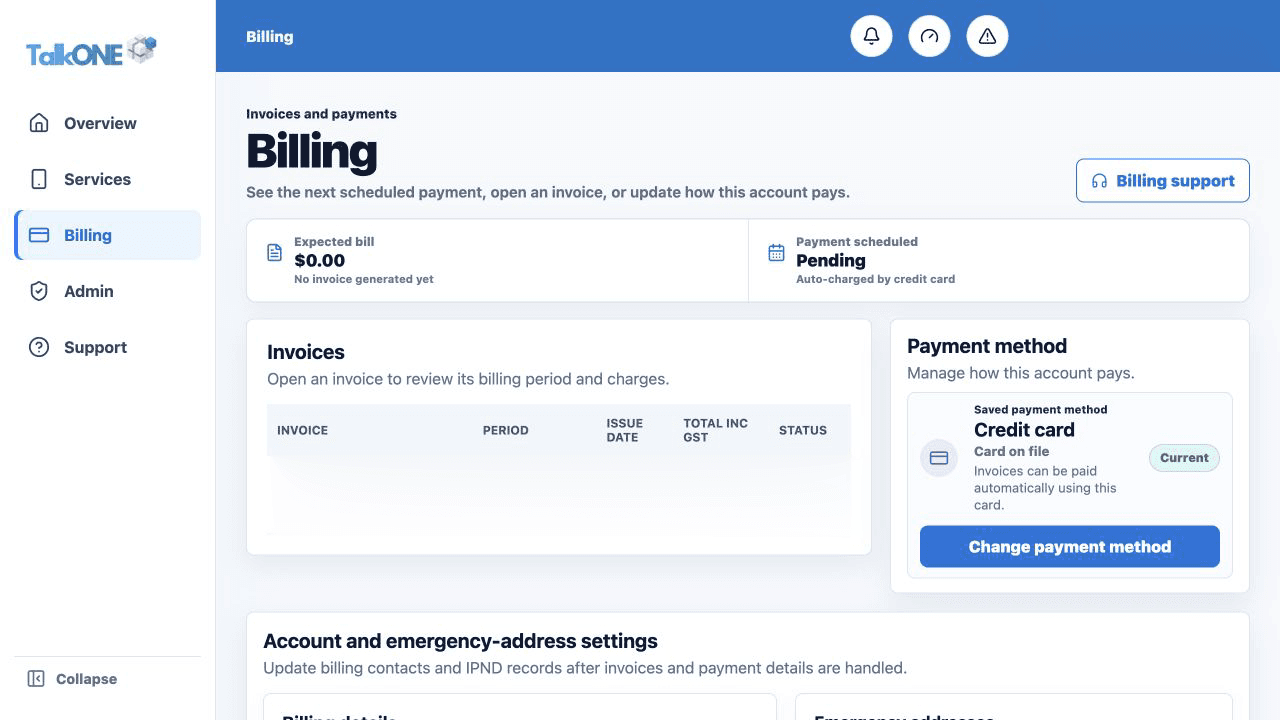
In Billing, select the invoice by number or billing period.
Use the highlighted Invoices list on the Billing screen. Confirm the surrounding service or account details match before you continue.
Read the summary
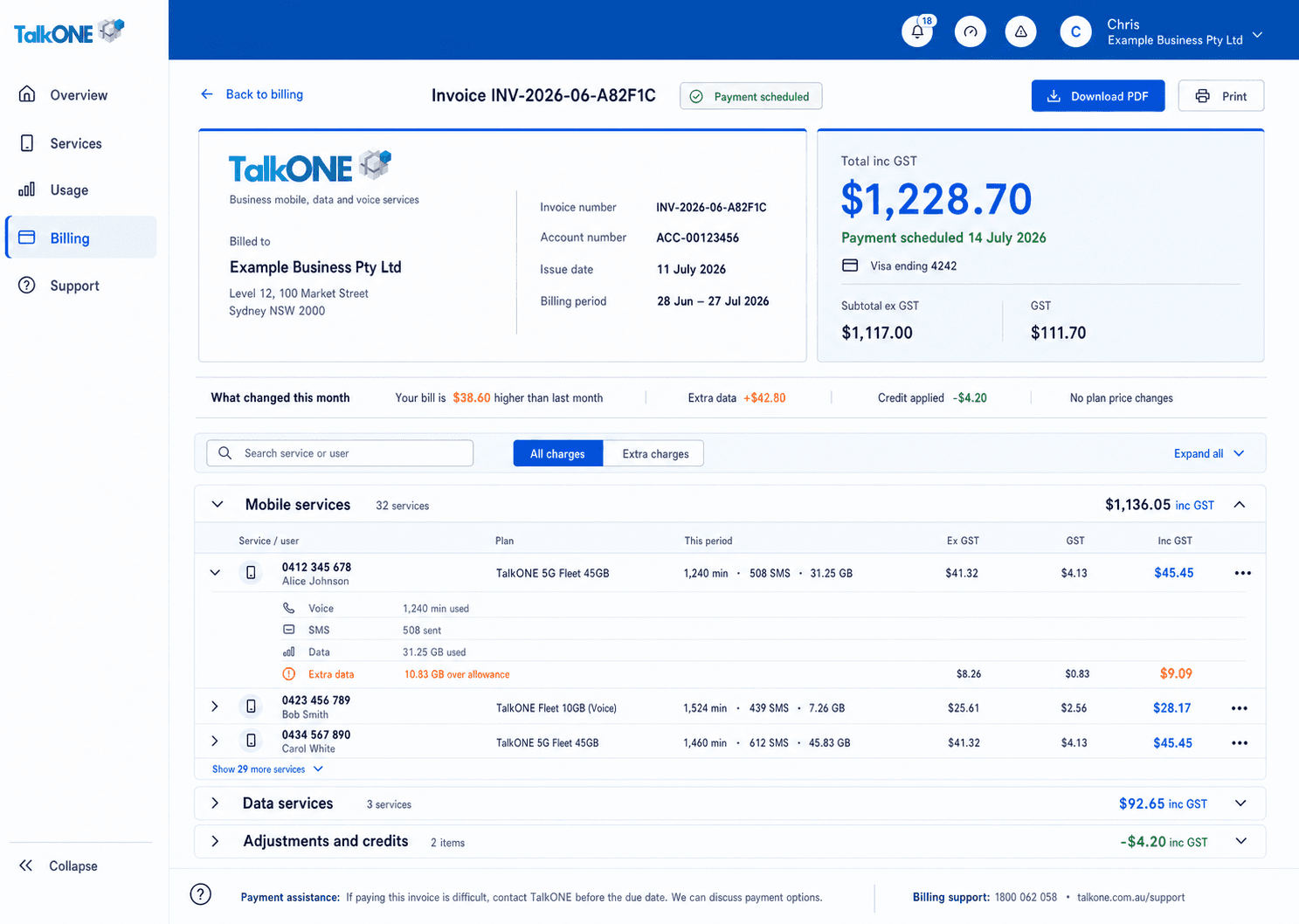
Check the invoice date, due date, opening balance, payments, new charges, GST and amount due.
Use the highlighted invoice and amount summary on the Invoice screen. Confirm the surrounding service or account details match before you continue.
Review each service
Each service row identifies the number, assigned user, plan and charges. Usage is summarised consistently with the web service view.
Use the highlighted service charges and usage on the Invoice screen. Confirm the surrounding service or account details match before you continue.
Check DataBank and activity
Where available, the service usage block shows data, calls, SMS and the green DataBank balance line.
Use the highlighted service charges and usage on the Invoice screen. Confirm the surrounding service or account details match before you continue.
Review adjustments
Credits, prorata amounts and one-off charges are labelled separately from recurring plan charges.
Use the highlighted Adjustments and credits on the Invoice screen. Confirm the surrounding service or account details match before you continue.
Check your work
The service subtotals, GST and adjustments reconcile to the invoice total.