
Replace an eSIM
Request a fresh eSIM when changing or replacing a phone.
Before you start
- The replacement phone
- Wi-Fi access
- Authority to manage the service
Open the correct service
Select the service by mobile number and assigned user. Confirm both before continuing.
Use the highlighted service number, user and plan on the Service overview screen. Confirm the surrounding service or account details match before you continue.
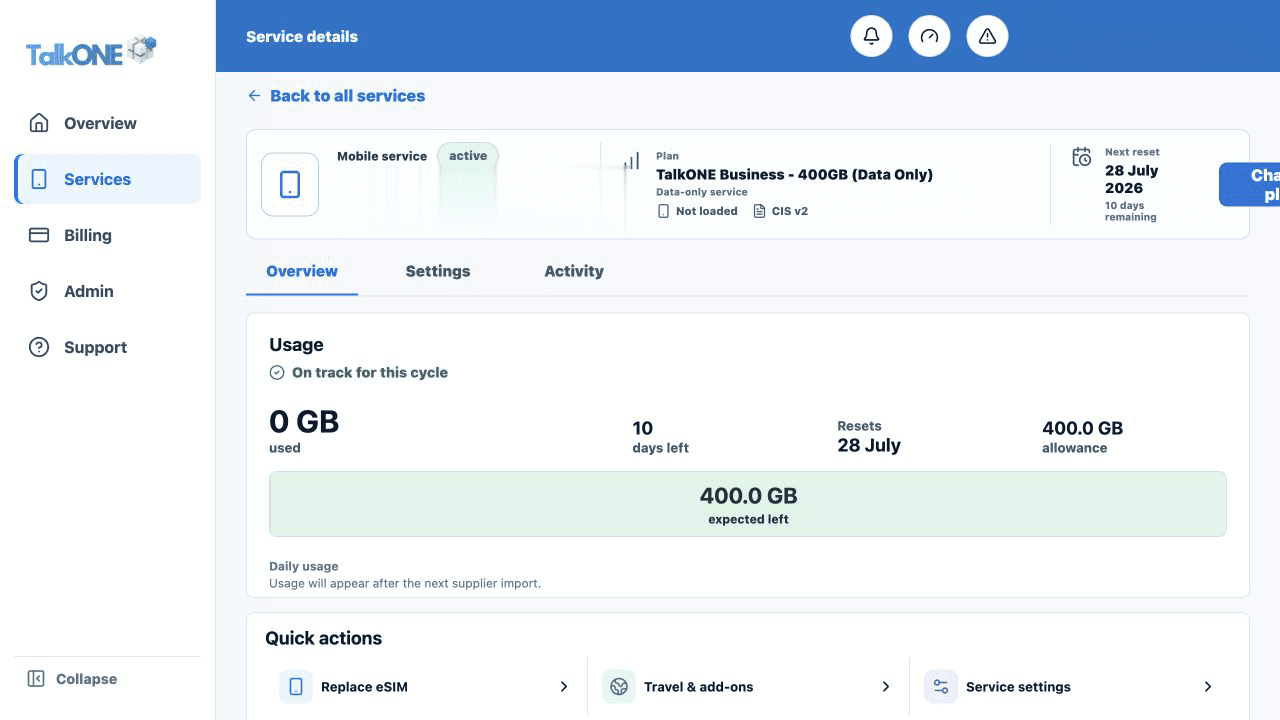
Choose Replace eSIM
Open the replacement action and read the interruption warning. The existing eSIM may stop working when the replacement is activated.
Use the highlighted Replace eSIM quick action on the Service overview screen. Confirm the surrounding service or account details match before you continue.
Confirm the request
Review the service number and submit the request. Wait for the fresh eSIM details to appear or for TalkONE confirmation.
Use the highlighted service interruption confirmation on the Replace eSIM screen. Confirm the surrounding service or account details match before you continue.
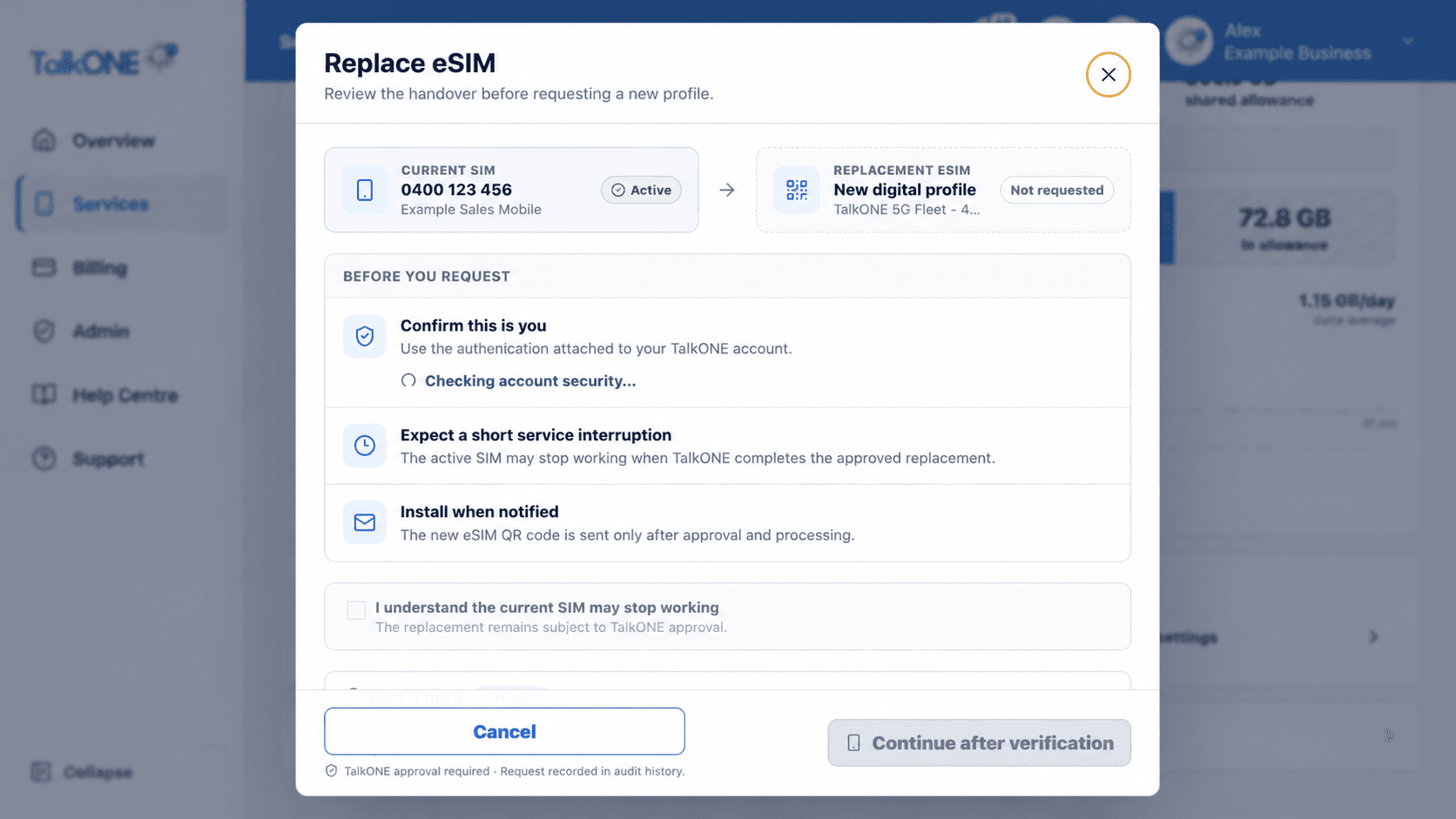
Install and test
Follow the iOS or Android installation steps, then test calls, messages and mobile data.
Use the highlighted Continue after verification on the Replace eSIM screen. Confirm the surrounding service or account details match before you continue.
Check your work
The new eSIM is active on the replacement phone and the old profile is no longer used.