
Manage voicemail
Turn voicemail behaviour on or off and check related calling settings.
Before you start
- A voice-capable service
Open the voice service
Choose the mobile number, then open Settings and Calling preferences.
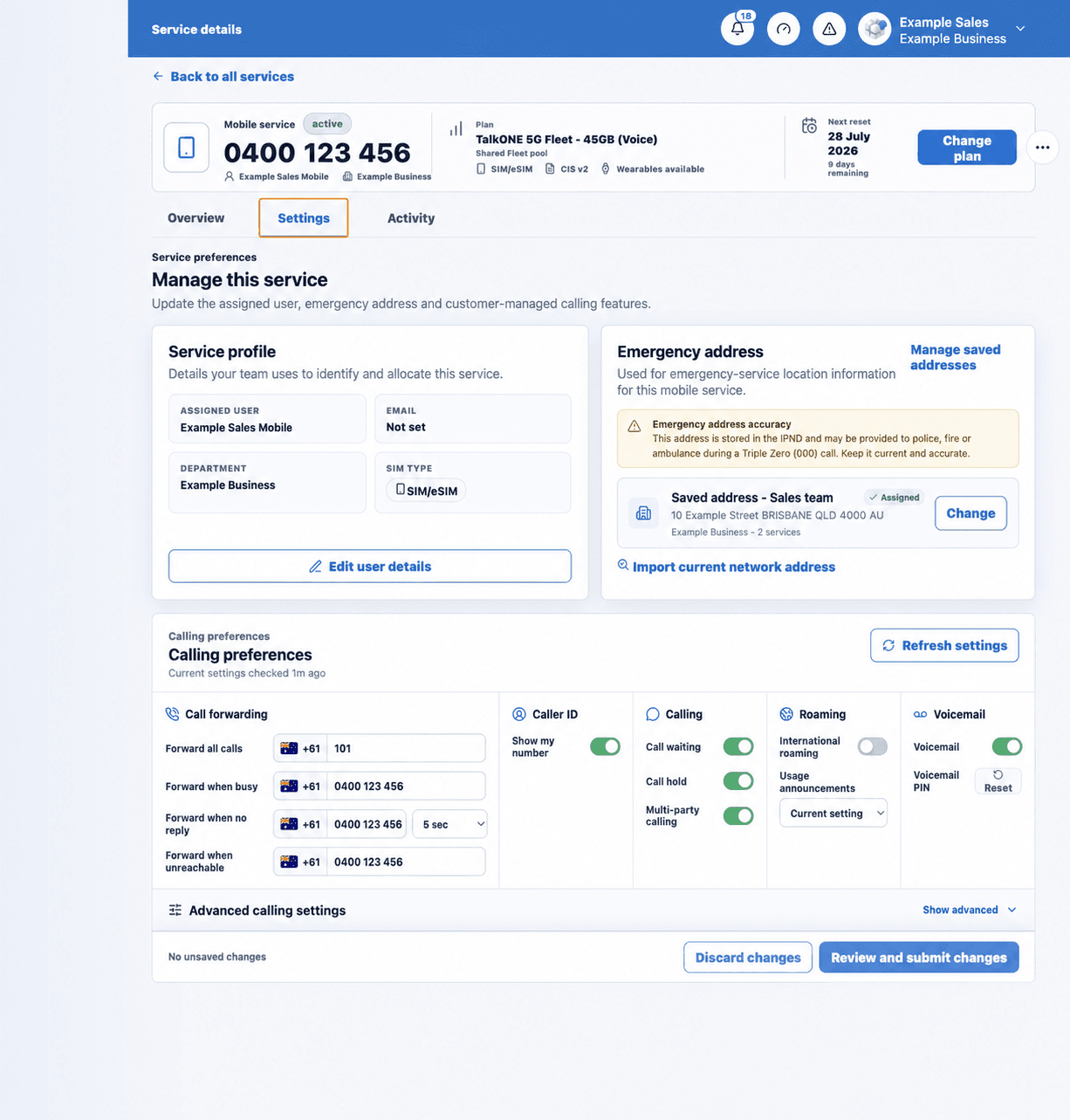
Use the highlighted Voicemail controls on the Calling preferences screen. Confirm the surrounding service or account details match before you continue.
Review voicemail and forwarding
Voicemail can depend on no-reply or unreachable forwarding. Check those destinations before changing the behaviour.
Use the highlighted Call forwarding fields on the Calling preferences screen. Confirm the surrounding service or account details match before you continue.
Change the available setting
Use the enabled controls in the Voicemail section. Provider-controlled values may be shown for clarity but cannot be edited.
Use the highlighted Voicemail controls on the Calling preferences screen. Confirm the surrounding service or account details match before you continue.
Save and test
Call from another phone, allow the call to go unanswered and confirm the result.
Use the highlighted Review and submit changes on the Calling preferences screen. Confirm the surrounding service or account details match before you continue.
Check your work
The test call reaches the expected voicemail or forwarding destination.