
Change a mobile plan
Compare every available plan and change now or at the next billing-cycle reset.
Before you start
- Permission to manage the service
- The service's current usage and DataBank position
A plan change can alter the service allowance and DataBank treatment. Read the confirmation before applying it immediately.
Open Change plan
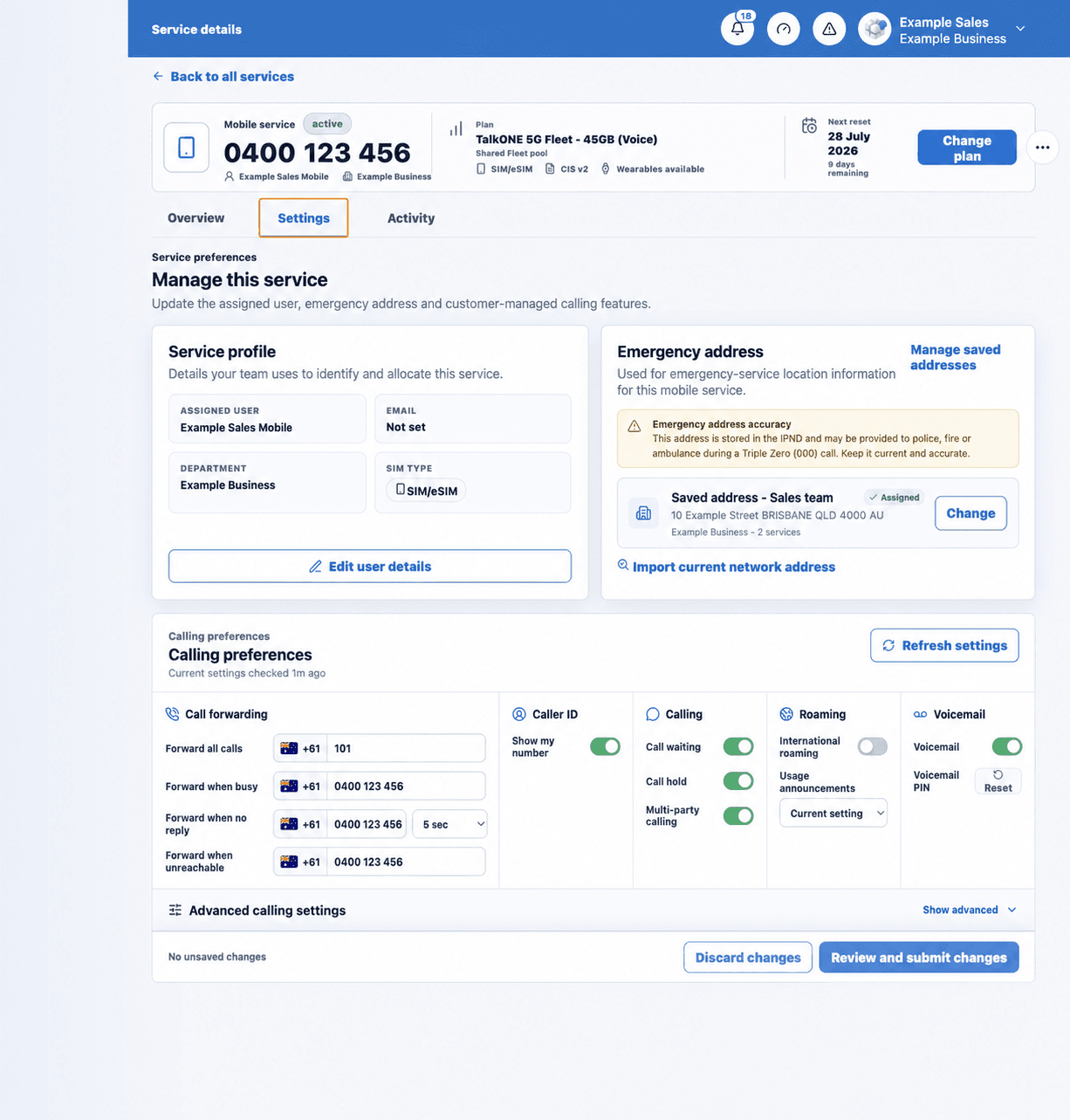
Select the service and choose Change plan near the current plan name.
Use the highlighted Change plan button on the Service overview screen. Confirm the surrounding service or account details match before you continue.
Compare the full range
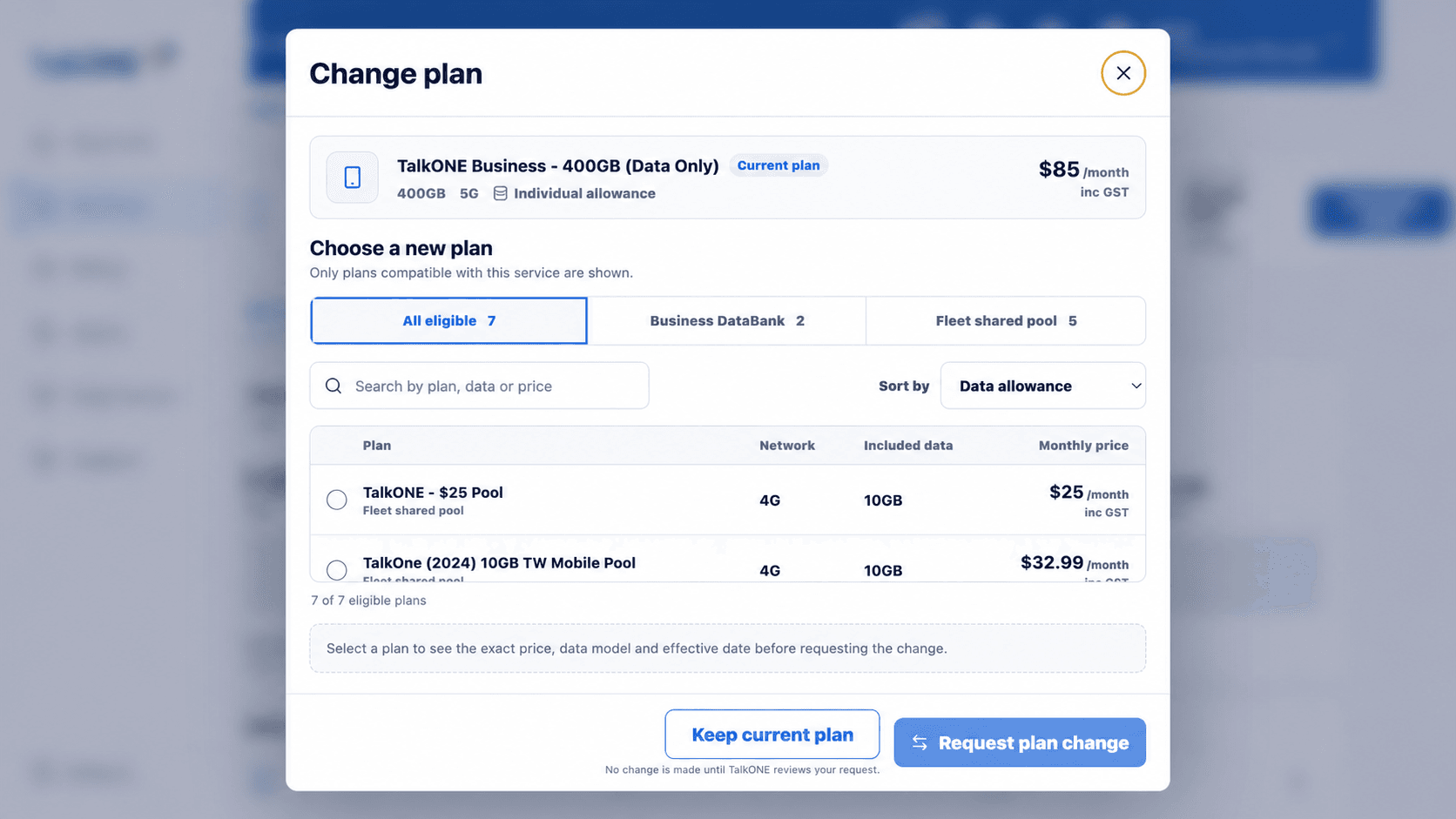
Review all plans in the selector. Compare monthly price, included data and suitability—not only the plans next to the current one.
Use the highlighted eligible plan list on the Change plan screen. Confirm the surrounding service or account details match before you continue.
Choose the timing
Select a plan to reveal its exact price, data model and effective-date choices. Change now may affect the current cycle; Next reset schedules the change for the displayed billing reset date.
Use the highlighted price, data model and effective date summary on the Change plan screen. Confirm the surrounding service or account details match before you continue.
If you are unsure about prorata or DataBank treatment, use Next reset or ask TalkONE before submitting.
Review the CIS
Open the Critical Information Summary for the selected plan. Check the included data, monthly charge, network, excess-use treatment and any important limitations before returning to the request.
Use the highlighted selected plan details and CIS on the Change plan screen. Confirm the surrounding service or account details match before you continue.
Confirm the change
Read the final plan, timing and price summary, then request the change. No change is made until TalkONE accepts the request; the portal and email will show whether it is scheduled or processing.
Use the highlighted Request plan change on the Change plan screen. Confirm the surrounding service or account details match before you continue.
Check your work
The service shows the new plan or a clearly dated pending plan change.