
IPND accuracy and emergency services
Understand why the service user's name and physical location must remain accurate.
Before you start
- The correct physical location for the mobile service user
Accurate IPND information matters during a 000 call. Correct an inaccurate record as soon as possible.
Understand the purpose
IPND is the Integrated Public Number Database. Information associated with a service can be used to support emergency calls and authorised public-safety purposes.
Use the highlighted Emergency address accuracy warning on the Service settings screen. Confirm the surrounding service or account details match before you continue.
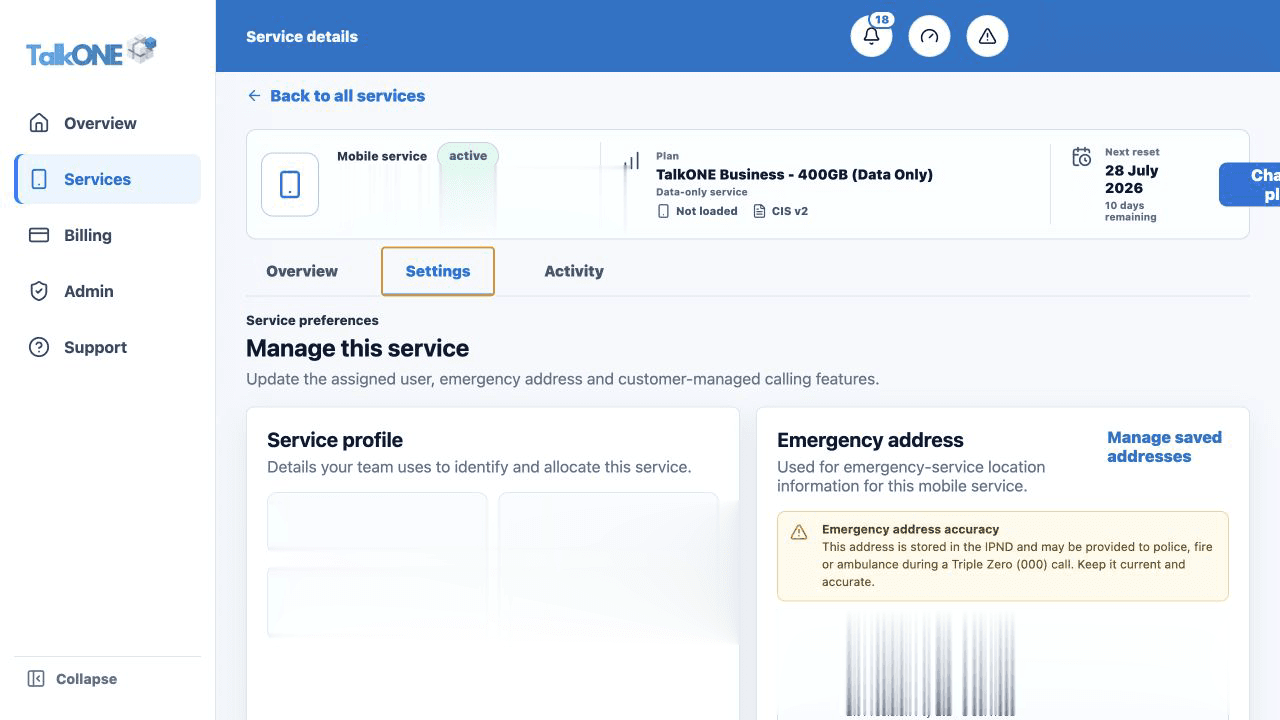
Use a physical service location
Provide the location where the service user can ordinarily be found—not a PO Box or a vague business area.
Use the highlighted Emergency address on the Service settings screen. Confirm the surrounding service or account details match before you continue.
Add address detail
Include unit, floor, building and access details when they are needed to identify the location accurately.
Use the highlighted Emergency address on the Service settings screen. Confirm the surrounding service or account details match before you continue.
Review when circumstances change
Check the record when assigning a service to another person or location. For an existing-service correction, submit an IPND support request.
Use the highlighted Create request on the Support screen. Confirm the surrounding service or account details match before you continue.
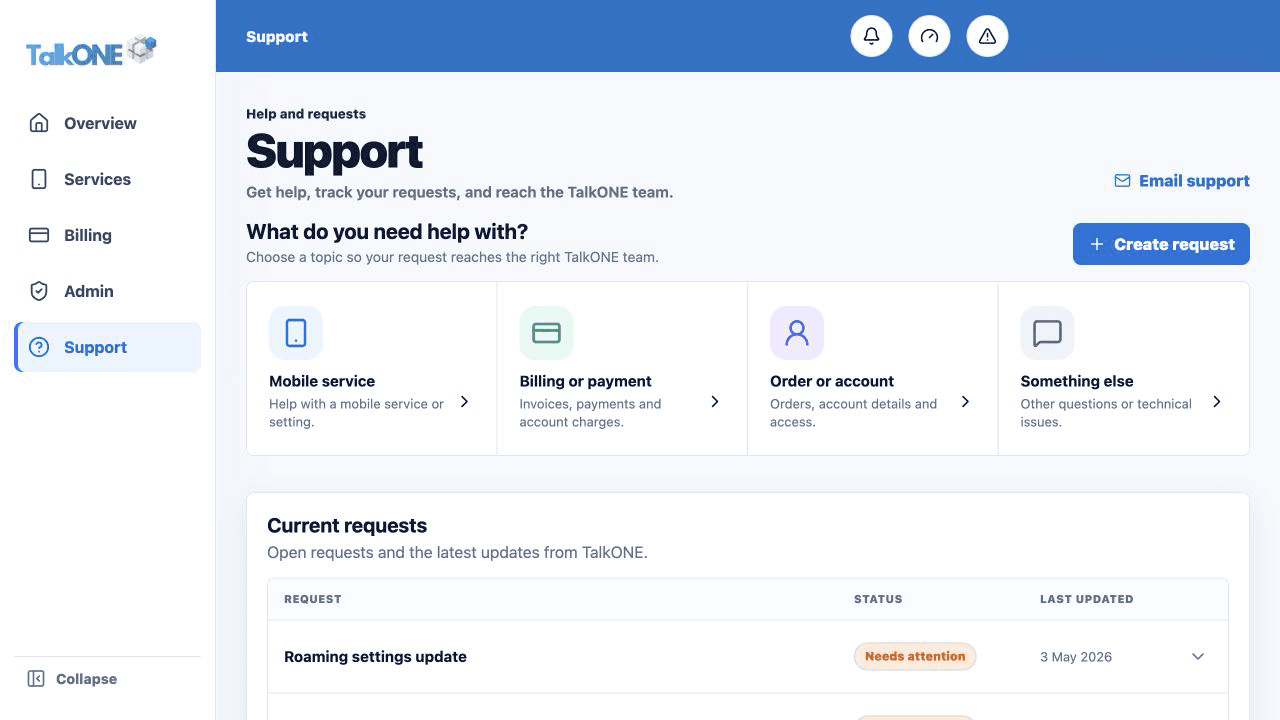
Check your work
The service page shows the correct emergency address and the saved record is clear enough to identify the location.